
Build a startup model that helps you plan, decide, and raise.
Guided financial modeling for SaaS and AI founders. Model pricing, growth, costs, burn, runway, and fundraising — without spreadsheets. A persistent model system you can revisit and update.
Better than spreadsheets
Guided structure, linked forecasts, and fewer fragile formulas.
More durable than AI chat
A persistent model you can revisit, update, and use for decisions.
- Pricing
- Access model
- Acquisition
- Engagement
- AI costs
- COGS
- Payroll
- Overhead
- Unit economics
- Runway
- Funding need
- Roadmap
What is Stavia Models?
Stavia Models is a guided financial modeling tool for early-stage SaaS, subscription, and AI founders. It helps you connect pricing, acquisition, costs, runway, and funding need in one model.
As you change inputs, the model updates around you: charts, KPI cards, forecast views, and decision metrics show how your assumptions affect growth, burn, runway, and unit economics.
For founders who want the full framework behind the product, the Startup Financial Modeling Guide walks through pricing, acquisition, costs, runway, and fundraising as one connected model.
See the model respond
Guided inputs
Pricing, acquisition, costs, team.
Live forecast views
Revenue, burn, cash flow, unit economics.
Decision signals
Runway, funding need, hiring timing.
From founder inputs to forecast views
Stavia connects the assumptions behind your startup into one model. Start with the decisions founders actually make, then read the forecast through revenue, cash, margins, unit economics, and timing.
Input tab
Roadmap
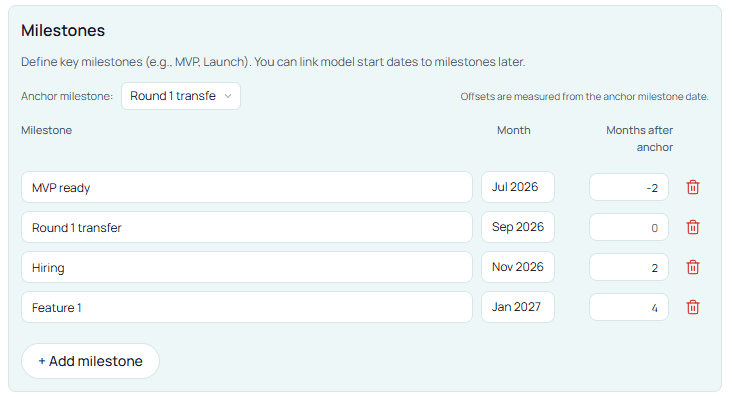
Set the forecast start, horizon, and milestones that control when other assumptions turn on.
- Timing
- Milestones
- Anchors
- 01
Roadmap
Set the forecast start, horizon, and milestones that control when other assumptions turn on.
- Timing
- Milestones
- Anchors
- 02
Pricing
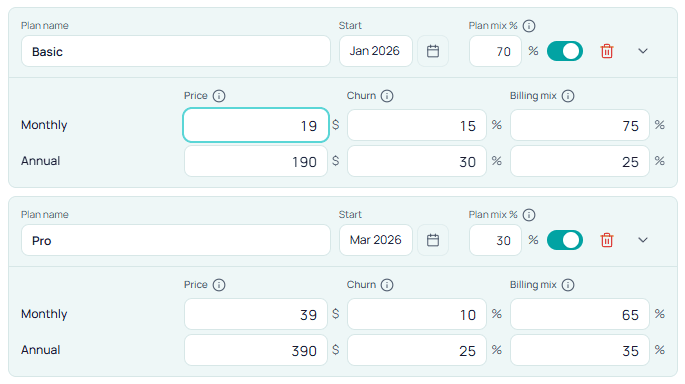
Define the access model, paid plans, billing mix, and churn that shape ARPA and LTV.
- Plans
- Billing mix
- Churn
- 03
Acquisition
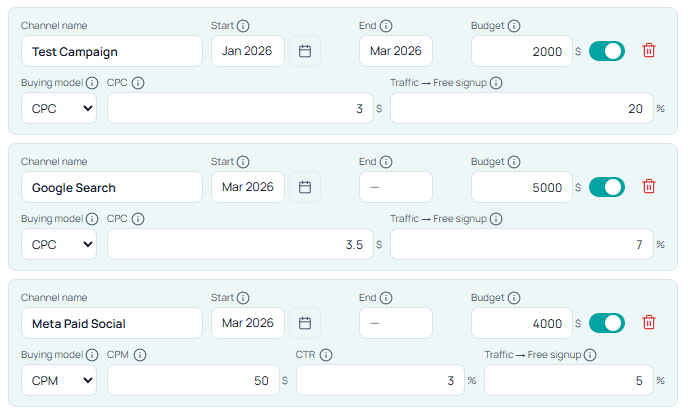
Plan paid, organic, partner, and referral channels and see how they move subscribers, CAC, and burn.
- Channels
- Conversion
- CAC
- 04
Costs
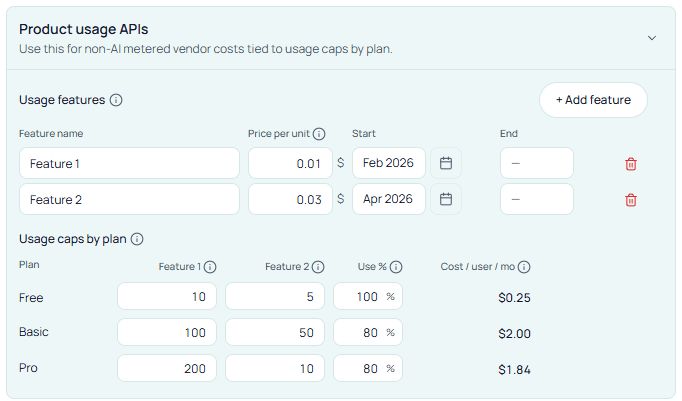
Model COGS, AI/API usage, overhead, and one-time costs so margins and burn reflect reality.
- COGS
- AI/API usage
- Overhead
- 05
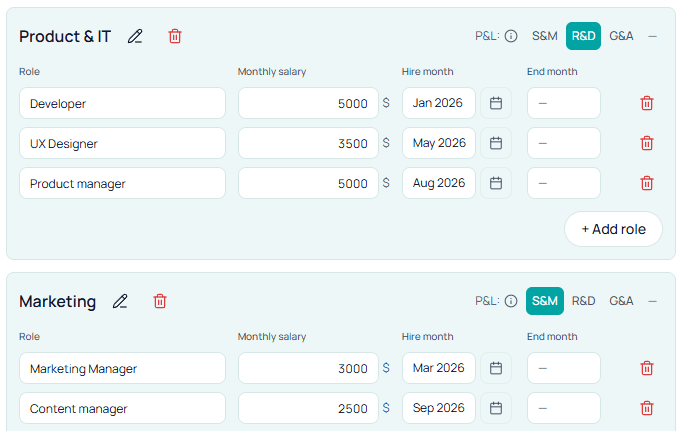
Team
Plan roles, compensation, and hire timing so payroll matches what the business can support.
- Roles
- Hire timing
- Payroll
- 06
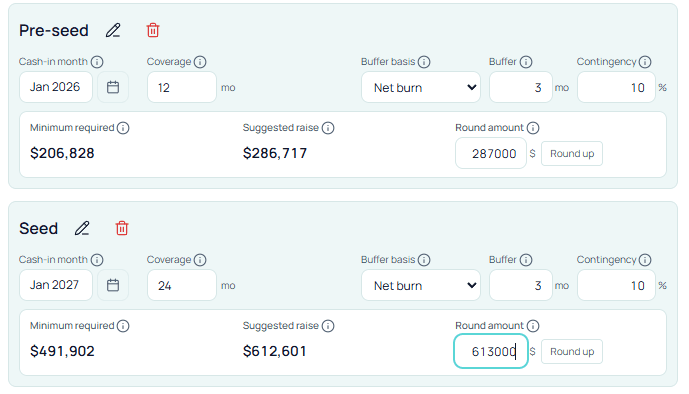
Financing
Plan founder funding and investor rounds so runway matches the operating plan.
- Founder cash
- Round sizing
- Runway bridge
Bridge
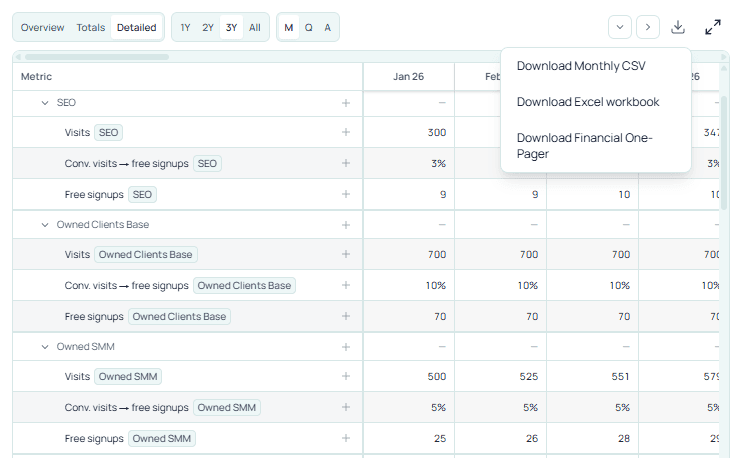
One connected monthly forecast
Your inputs feed the same monthly model, so changing a pricing, timing, cost, hiring, or funding assumption updates the forecast views together.
- Monthly model
- Connected views
- Traceable
- 07
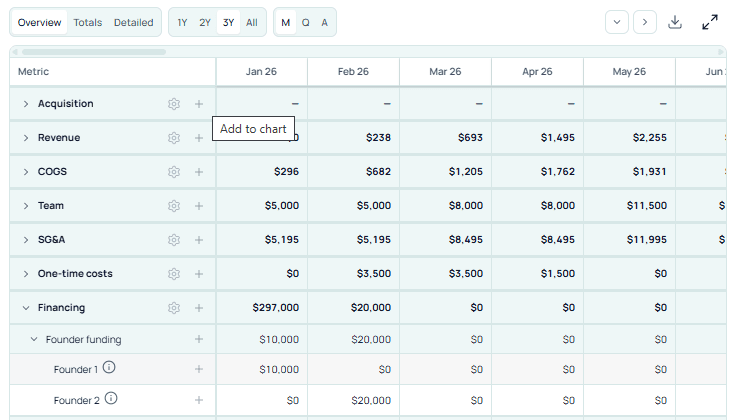
Monthly Forecast
See acquisition, revenue, costs, cash, and financing month by month.
- Monthly model
- Break-even
- Traceable
- 08
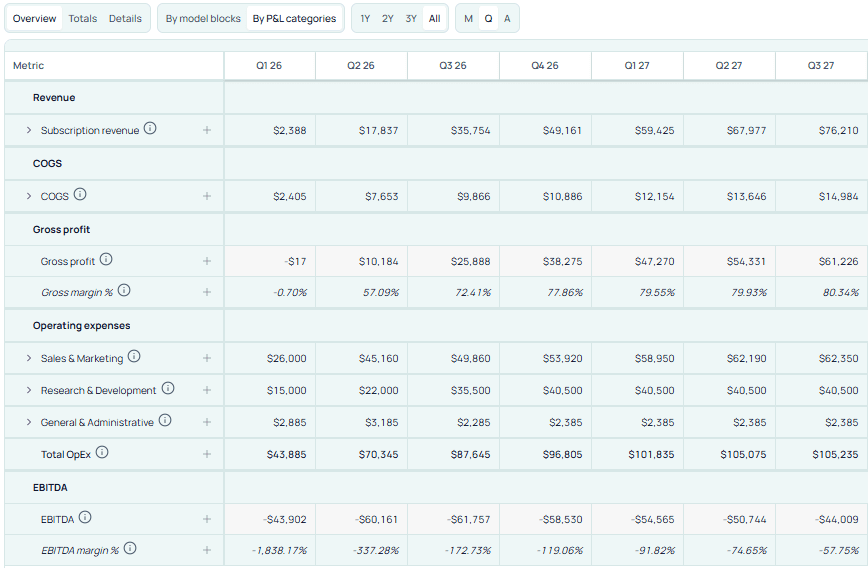
P&L
Read revenue, gross profit, operating expenses, and EBITDA across the forecast.
- Margins
- EBITDA path
- Operating leverage
- 09
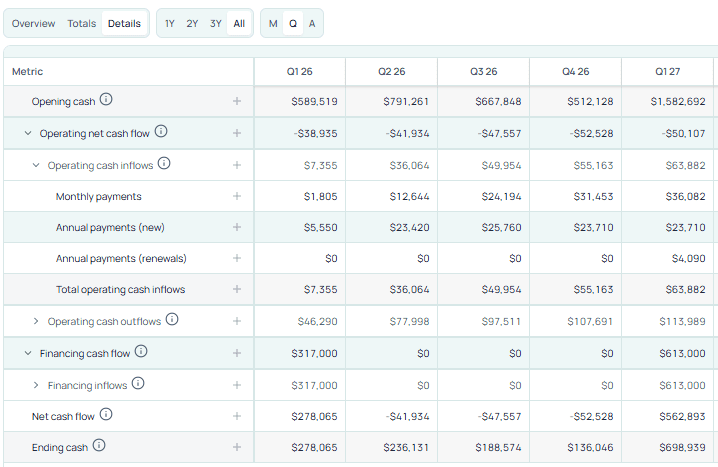
Cashflow
Track ending cash, net cash flow, and runway month by month.
- Runway
- Ending cash
- Funding timing
- 10
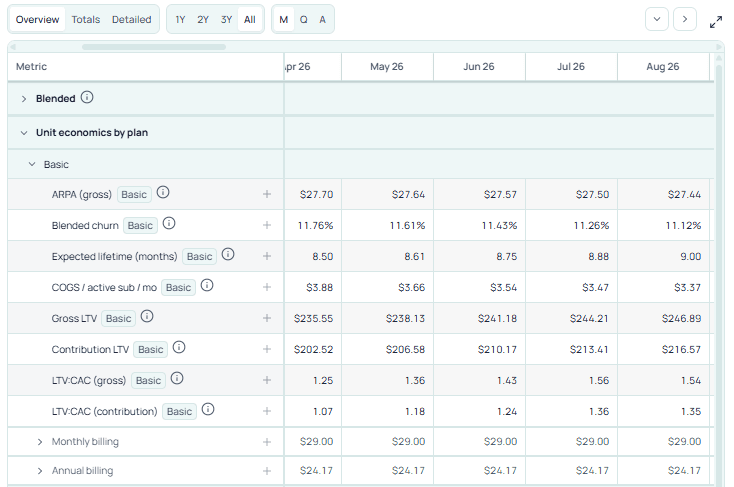
Unit Economics
Read blended and segmented CAC, LTV, payback, and contribution across plans, billing, and channels.
- CAC / LTV
- Payback
- Contribution
- 11
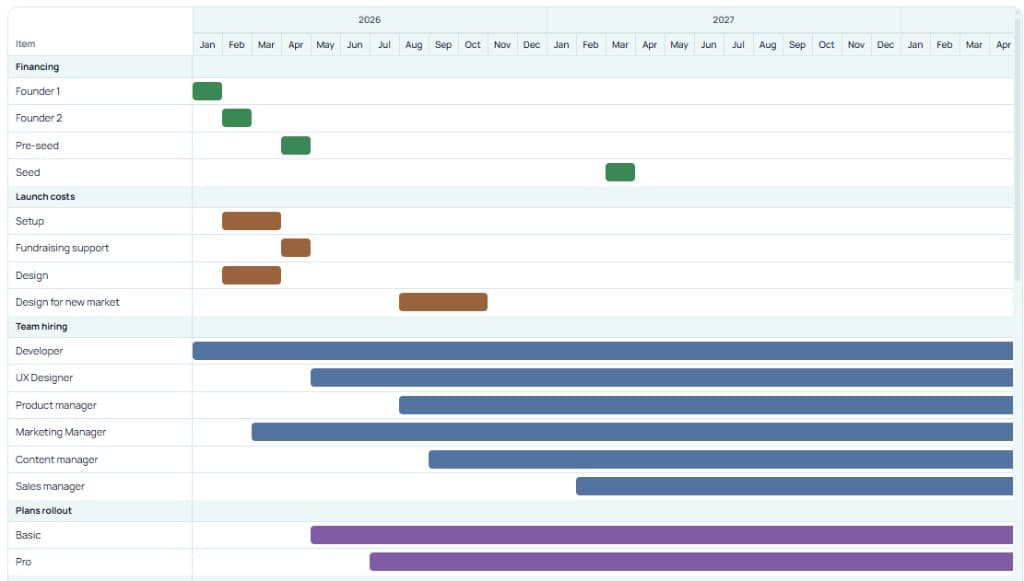
Timeline
See milestones, hires, acquisition, costs, and financing as one operating sequence.
- Sequence
- Gantt
- Narrative
What happens after the trial?
Your work is always preserved.
Start free trial (no card)
7 days, 1 project. Set up your startup financial model and key assumptions.
Build the model
Work through pricing, acquisition, costs, and see your forecast.
Trial ends automatically
Project stays in read-only mode. Subscribe to continue editing.
7-day free trial. No credit card required. Trial includes 1 project. After trial ends, your project remains available in read-only mode. Subscribe to continue editing — you never lose your work.
Pricing plans
Choose a plan by project count. Solo, Lab, or Studio. Everything else is included.
Frequently asked questions
Common questions about Stavia Models and startup financial planning.
Who is Stavia Models for?
Stavia Models is for startup founders and finance leads who need a startup financial model — especially SaaS founders and AI founders. If you need to model pricing, growth, costs, burn, runway, and fundraising without rebuilding spreadsheets, Stavia gives you guided financial modeling and strategic planning in one place.
How is Stavia different from spreadsheets?
Stavia is a guided startup financial modeling tool, not a blank spreadsheet. You work through a structured workflow: inputs for pricing, acquisition, costs, and team flow into a transparent monthly forecast. Every table and chart stays in sync. The model persists so you can revisit and update it — stronger than spreadsheets for consistency, more durable than AI chat for decision support.
What happens after the trial?
Your project remains available in read-only mode. You can view it anytime. The 7-day free trial includes 1 project, no credit card required. When the trial ends, your work is preserved. Subscribe to continue editing and add more projects.
Can I cancel anytime?
Yes. Cancel whenever you like. Your projects stay in read-only mode — you never lose your work. This applies whether you cancel a paid plan or let your trial end.
Do I lose my work if I stop paying?
No. When you cancel or your trial ends, your projects remain accessible in read-only mode. You can view them anytime. Subscribe again to resume editing. Your startup financial model and all assumptions are preserved.
Can you help me build the model?
Yes. Book a working session and we'll fill in your Stavia model together — from pricing and acquisition to costs, hiring, and funding logic. You leave with a clearer strategy and a model built around your startup.
Can Stavia be tailored to my business?
Some startups need modeling logic beyond the standard setup — for example, more specific revenue, cost, or growth mechanics. Get in touch and we may be able to offer a tailored Stavia setup for your case.